Blog Post Features Reference: Your Complete Guide to Rich Content
Complete Feature Reference
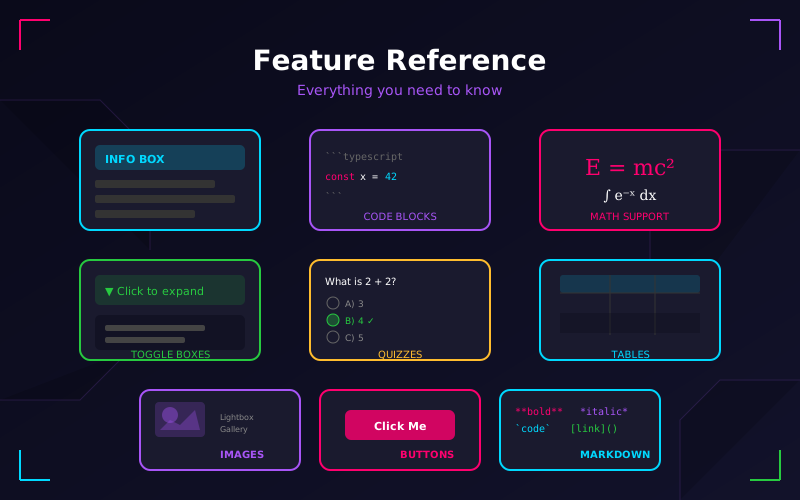
This comprehensive guide documents every feature available in the LokiSoft blog system. Whether you're writing your first post or looking for advanced formatting options, you'll find everything you need here.
"Whatever you do, work at it with all your heart, as working for the Lord, not for human masters." — Colossians 3:23 (NIV)
Introduction
The LokiSoft blog system is built on Markdown with powerful extensions for interactive content. This reference covers:
- Basic formatting - Text styles, headings, lists
- Rich media - Images, code blocks, tables
- Interactive components - Info boxes, toggles, quizzes
- Advanced features - Math equations, custom HTML
What You'll Learn
| Section | Content |
|---|---|
| Frontmatter | Post metadata and settings |
| Text Formatting | Bold, italic, headings |
| Media | Images, links, code |
| Components | Info boxes, toggles, quizzes |
| Advanced | Math, custom HTML |
Frontmatter Options
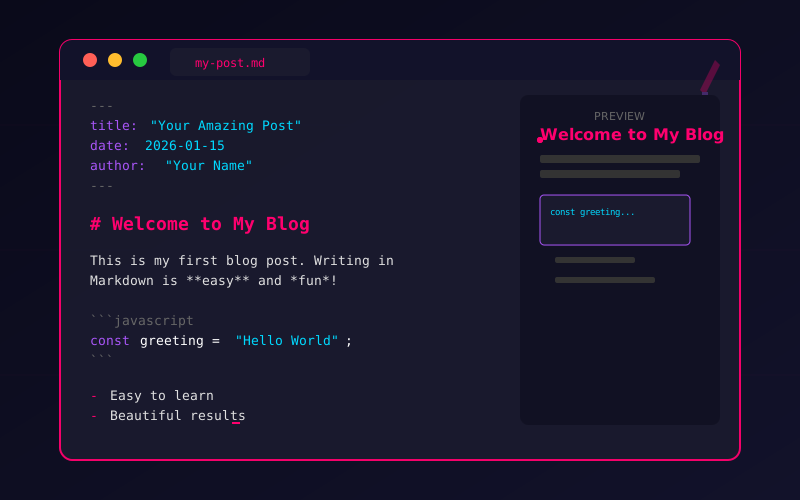
Every post begins with YAML frontmatter that defines its metadata:
---
title: Your Post Title
date: 2026-01-15
author: Author Name
excerpt: Brief description for cards and SEO (150-160 characters)
categories: Cat1, Cat2, Cat3
difficulty: 3
featured: true
announcement: false
coverImage: /path/to/image.jpg
---
Field Reference
| Field | Type | Default | Description |
|---|---|---|---|
title | string | "Untitled" | Post title displayed everywhere |
date | string | Today | Publication date (YYYY-MM-DD) |
author | string | "LokiSoft Team" | Author name shown on post |
excerpt | string | First 160 chars | Short description for SEO |
categories | string/array | [] | Comma-separated or array format |
difficulty | number | 1 | Skill level (1-5 stars) |
featured | boolean | false | Show on homepage featured section |
announcement | boolean | false | Display with announcement styling |
coverImage | string | null | Path to cover image |
"The beginning of wisdom is this: Get wisdom. Though it cost all you have, get understanding." — Proverbs 4:7 (NIV)
Text Formatting
Basic Styles
| Markdown | Result | Use For |
|---|---|---|
**bold** | bold | Emphasis, key terms |
*italic* | italic | Titles, foreign words |
***bold italic*** | bold italic | Strong emphasis |
`code` | code | Code, commands |
~~strikethrough~~ | Corrections, old info |
Headings
Use headings to create structure. They automatically populate the Table of Contents.
# H1 - Page Title (one per post)
## H2 - Major Section
### H3 - Subsection
#### H4 - Minor Section
##### H5 - Detail
###### H6 - Fine Detail
Links & Images
Link Formats
[External Link](https://example.com)
[Internal Link](/about)
[Link with Title](https://example.com "Hover text")
[Email Link](mailto:hello@lokisoft.xyz)
Examples:
Images


Image Features:
- Click any image to open in a lightbox viewer
- Navigate between images with arrow keys
- Zoom up to 300% with scroll wheel
- Drag to pan when zoomed in
Example images:
"A picture is worth a thousand words, but a word fitly spoken is like apples of gold in a setting of silver." — Proverbs 25:11 (ESV)
Code Blocks
Inline Code
Use backticks for inline code like const x = 5 or npm install.
Block Code with Syntax Highlighting
Specify the language after the opening backticks:
JavaScript:
function greet(name) {
const message = `Hello, ${name}!`;
console.log(message);
return message;
}
// Call the function
greet("World"); // Output: "Hello, World!"
TypeScript:
interface User {
id: number;
name: string;
email: string;
}
const createUser = (data: Partial<User>): User => ({
id: Date.now(),
name: '',
email: '',
...data
});
Python:
def fibonacci(n: int) -> list[int]:
"""Generate the first n Fibonacci numbers."""
if n <= 0:
return []
sequence = [0, 1]
while len(sequence) < n:
sequence.append(sequence[-1] + sequence[-2])
return sequence[:n]
# Example: Get first 10 numbers
print(fibonacci(10))
Bash:
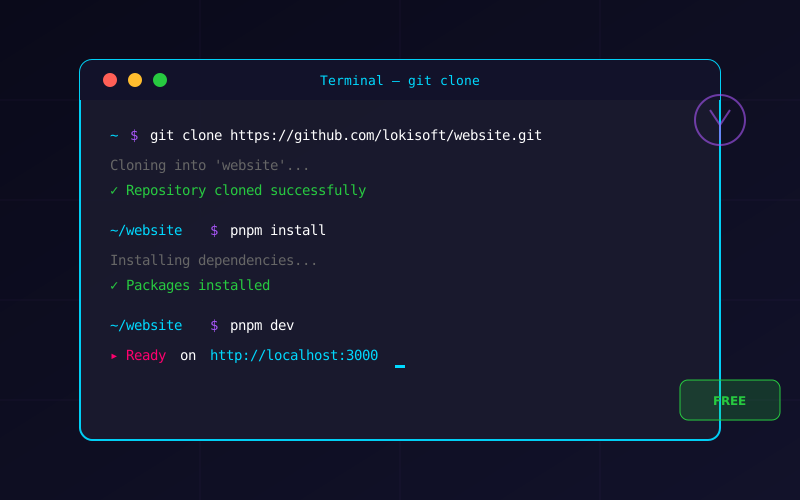
# Clone and setup a project
git clone https://github.com/user/repo.git
cd repo
npm install
npm run dev
CSS:
.neon-glow {
color: var(--neon-pink);
text-shadow:
0 0 10px var(--neon-pink),
0 0 20px var(--neon-pink);
}
JSON:
{
"name": "my-project",
"version": "1.0.0",
"dependencies": {
"next": "^14.0.0",
"react": "^18.0.0"
}
}
Lists
Unordered Lists
- First item
- Second item with **formatting**
- Third item
- Nested item
- Another nested
- Deep nesting
- Back to top level
- First item
- Second item with formatting
- Third item
- Nested item
- Another nested
- Deep nesting
- Back to top level
Ordered Lists
1. First step
2. Second step
3. Third step
1. Sub-step A
2. Sub-step B
4. Fourth step
- First step
- Second step
- Third step
- Sub-step A
- Sub-step B
- Fourth step
Task Lists (Interactive Checklists)
Task lists become interactive checklists that readers can use:
- [x] Completed task
- [x] Another done item
- [ ] Pending task
- [ ] Future work
- Completed task
- Another done item
- Pending task
- Future work
Tables
Basic Table
| Feature | Status | Priority |
|---------|--------|----------|
| Dark Mode | Complete | High |
| Search | Complete | High |
| Comments | Complete | Medium |
| Feature | Status | Priority |
|---|---|---|
| Dark Mode | Complete | High |
| Search | Complete | High |
| Comments | Complete | Medium |
Column Alignment
| Left | Center | Right |
|:-----|:------:|------:|
| L1 | C1 | R1 |
| L2 | C2 | R2 |
| Left | Center | Right |
|---|---|---|
| L1 | C1 | R1 |
| L2 | C2 | R2 |
Blockquotes
Simple Quote
> This is a blockquote. Great for highlighting important
> information or citing sources.
This is a blockquote. Great for highlighting important information or citing sources.
Scripture Formatting
For Bible verses, use italics and attribution:
> *"For God so loved the world that he gave his one and only Son,
> that whoever believes in him shall not perish but have eternal life."*
> — John 3:16 (NIV)
"For God so loved the world that he gave his one and only Son, that whoever believes in him shall not perish but have eternal life." — John 3:16 (NIV)
Math Expressions
Using LaTeX syntax for mathematical notation.
Inline Math
The quadratic formula is x=2a−b±b2−4ac for solving ax2+bx+c=0.
Block Math
$$
E = mc^2
$$
E=mc2
∫0∞e−x2dx=2π
n=1∑∞n21=6π2
"He determines the number of the stars and calls them each by name. Great is our Lord and mighty in power; his understanding has no limit." — Psalm 147:4-5 (NIV)
Special Components
Info Boxes
Five types of info boxes for different purposes:
Syntax:
<div data-info-box="TYPE" data-title="Your Title">
Your content here...
</div>
Types: info, hint, warning, danger, success
Toggle Boxes
Collapsible sections for optional content:
This content is hidden until clicked. Perfect for:
- Spoilers or solutions
- Advanced details
- Long code examples
- Optional deep-dives
// Code works inside toggle boxes too!
console.log("Hidden code revealed!");
Use data-toggle-box="open" to start expanded. Good for important content that should still be collapsible for space.
Syntax:
<!-- Collapsed -->
<div data-toggle-box data-title="Click to Expand">
Content...
</div>
<!-- Expanded -->
<div data-toggle-box="open" data-title="Already Open">
Content...
</div>
Interactive Quizzes
Create interactive quizzes with score tracking to help readers test their understanding:
Quiz Syntax:
<div data-quiz-group data-title="Quiz Title">
<div data-quiz-question="Question text?" data-correct="0" data-explanation="Explanation shown after answering.">
<div data-quiz-option>Option A (index 0 - correct)</div>
<div data-quiz-option>Option B (index 1)</div>
<div data-quiz-option>Option C (index 2)</div>
</div>
</div>
"Apply your heart to instruction and your ears to words of knowledge." — Proverbs 23:12 (NIV)
Horizontal Rules
Create section dividers with three dashes:
---
Use them to separate major sections of your post.
Special Characters & Emojis
Common Symbols
- Copyright: © (
©) - Trademark: ™ (
™) - Registered: ® (
®) - Degree: 45° (
°) - Plus/Minus: ±5 (
±)
Arrows
→ ← ↑ ↓ ↔ ⇒ ⇐
Emojis
Emojis work directly in your content, but use them sparingly for professional posts.
Best Practices Summary
| Element | Best Practice |
|---|---|
| Headings | Use logical hierarchy (H2 > H3 > H4) |
| Images | Always include descriptive alt text |
| Code | Specify language for syntax highlighting |
| Links | Use descriptive anchor text |
| Info Boxes | Don't overuse - save for important info |
| Tables | Use for structured data, not layout |
What's Next
Now that you know all the features available:
- Start writing - Create your first post using these features
- Experiment - Try different components to see what works
- Reference back - Bookmark this page for quick lookups
Related Resources
- Writing Your First Post - Quick start guide
- Clone This Website - Setup instructions
- Blog Post Template - Professional template
Conclusion
The LokiSoft blog system provides everything you need to create engaging, professional content. From basic Markdown to interactive quizzes, these tools help you serve your readers well.
Remember: the best content isn't about using every feature—it's about communicating clearly and helping your audience. Use these tools in service of that goal.
"Let your conversation be always full of grace, seasoned with salt, so that you may know how to answer everyone." — Colossians 4:6 (NIV)
A Prayer for Content Creators
Lord, thank You for the gift of communication and the tools we have to share knowledge with others.
Help us use these capabilities wisely—not to show off, but to serve. May our posts be clear, helpful, and honoring to You. Give us the creativity to explain complex things simply and the humility to always keep learning.
Guide our words so they build others up. Use our content to answer questions, solve problems, and point people toward truth.
In Jesus' name, Amen.
Quick Reference Checklist
Before publishing, ensure your post:
- Has complete frontmatter (title, date, excerpt)
- Uses proper heading hierarchy
- Includes alt text on all images
- Has code blocks with language specified
- Uses info boxes appropriately
- Includes internal links to related content
- Has been proofread for errors
Comments